Use · Guide
Device twins and state
Keep desired and reported state in sync, see the delta, and keep a history of every change.
Updated 11 Nov 20261 min read
All ThingsX IoT Core pages
- What ThingsX IoT Core does
- Quick start: connect your first device
- Key concepts
- Security and access
- Connect Wi-Fi and IoT devices
- BLE gateways, shelf labels and child devices
- LoRaWAN sensors and gateways
- Industrial I/O modules
- Device twins and state
- Send commands to devices
- Rules: react to device messages
- SDK and REST API
- Monitor your fleet and support customers
- Moving from another IoT platform
- From AWS IoT Core
- From Azure IoT Hub and other platforms
- Device can't connect
- Devices keep disconnecting or reconnecting
- Data isn't arriving or a rule doesn't fire
- Frequently asked questions
- Topics and limits reference
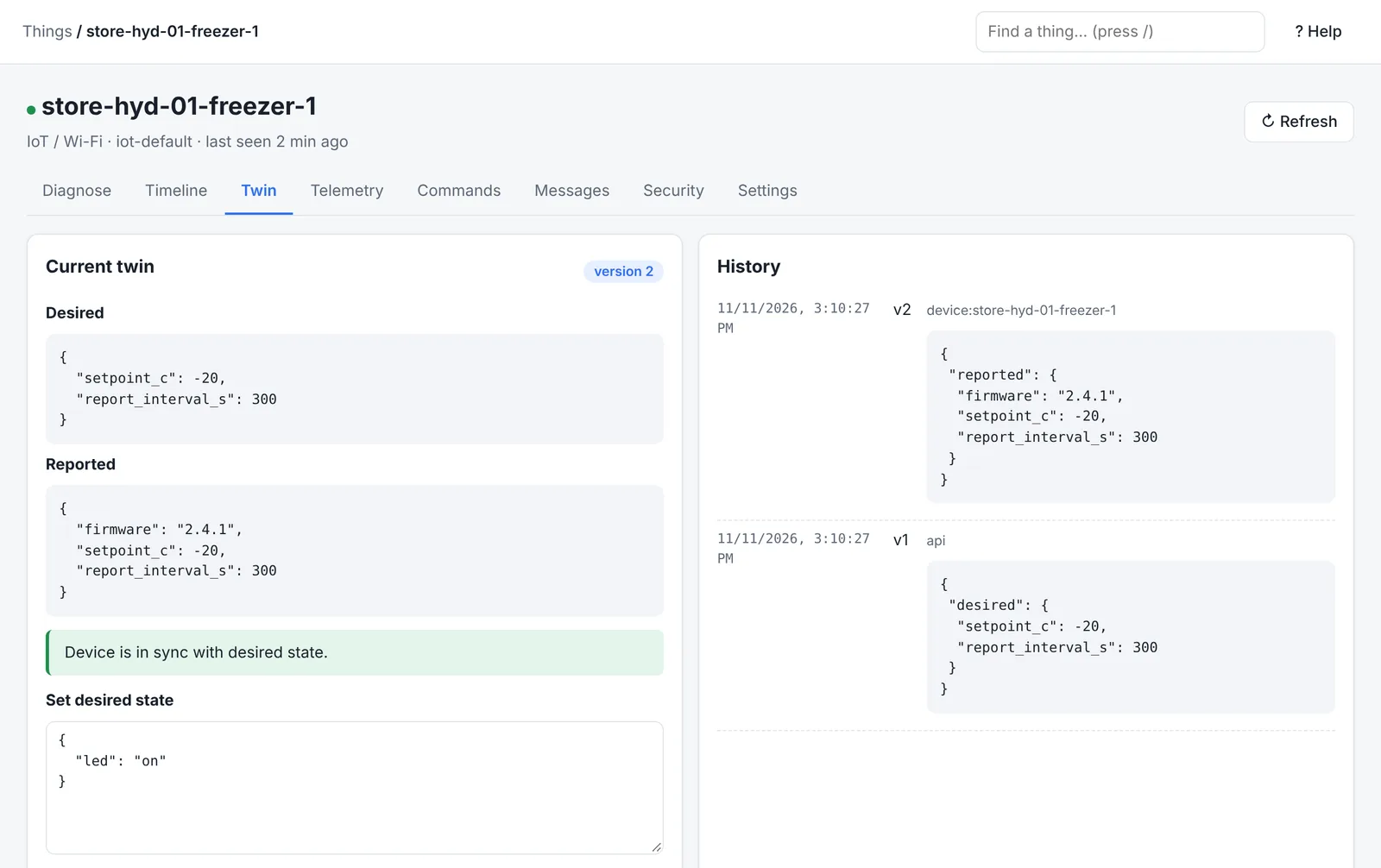
A twin is a JSON document for each device with two parts:
- desired: what you want (set from the console, your apps or rules)
- reported: what the device says it is doing
When they differ, the device receives a delta with only the fields that need to change.
- 1App sets desirede.g. setpoint -20 °C
- 2Device gets the deltaon .../twin/update/delta
- 3Device applies itand reports its new state
- 4Twin in synchistory keeps every version
Topics
| Action | Topic |
|---|---|
| Report or request a change | $tic/things/<name>/twin/update |
| Read the whole twin | $tic/things/<name>/twin/get |
| Delete it | $tic/things/<name>/twin/delete |
| Replies | /accepted, /rejected, /delta, /documents under the same path |
Named twins (several documents per device, for example config and firmware) are supported. Devices already written for a shadow-style topic layout keep working: those topics are answered by the twin too.
From your application
curl -X POST https://<your-endpoint>/v1/things/store-hyd-01-freezer-1/twin \
  -H "Authorization: Bearer $TOKEN" -H "Content-Type: application/json" \
-d '{"state": {"desired": {"setpoint_c": -20, "report_interval_s": 300}}}'Tips
- Keep twins small: configuration and status, not telemetry history.
- Have the device report its full state after it reconnects, so the twin is right after a power cut.
- Each update has a version; send the version you read to avoid overwriting someone else's change.
Was this page helpful?
Can't find what you need? Contact support or read about ThingsX IoT Core.