Use · Guide
Monitor your fleet and support customers
The overview, the event log, Diagnose, and the IT support and customer lookup pages.
Updated 11 Nov 20262 min read
All ThingsX IoT Core pages
- What ThingsX IoT Core does
- Quick start: connect your first device
- Key concepts
- Security and access
- Connect Wi-Fi and IoT devices
- BLE gateways, shelf labels and child devices
- LoRaWAN sensors and gateways
- Industrial I/O modules
- Device twins and state
- Send commands to devices
- Rules: react to device messages
- SDK and REST API
- Monitor your fleet and support customers
- Moving from another IoT platform
- From AWS IoT Core
- From Azure IoT Hub and other platforms
- Device can't connect
- Devices keep disconnecting or reconnecting
- Data isn't arriving or a rule doesn't fire
- Frequently asked questions
- Topics and limits reference
Fleet overview
The Overview shows devices online per family, refused connections and denied publishes in the last 24 hours (grouped by reason), recent disconnects and commands waiting. Every number links to the devices behind it.
Event log
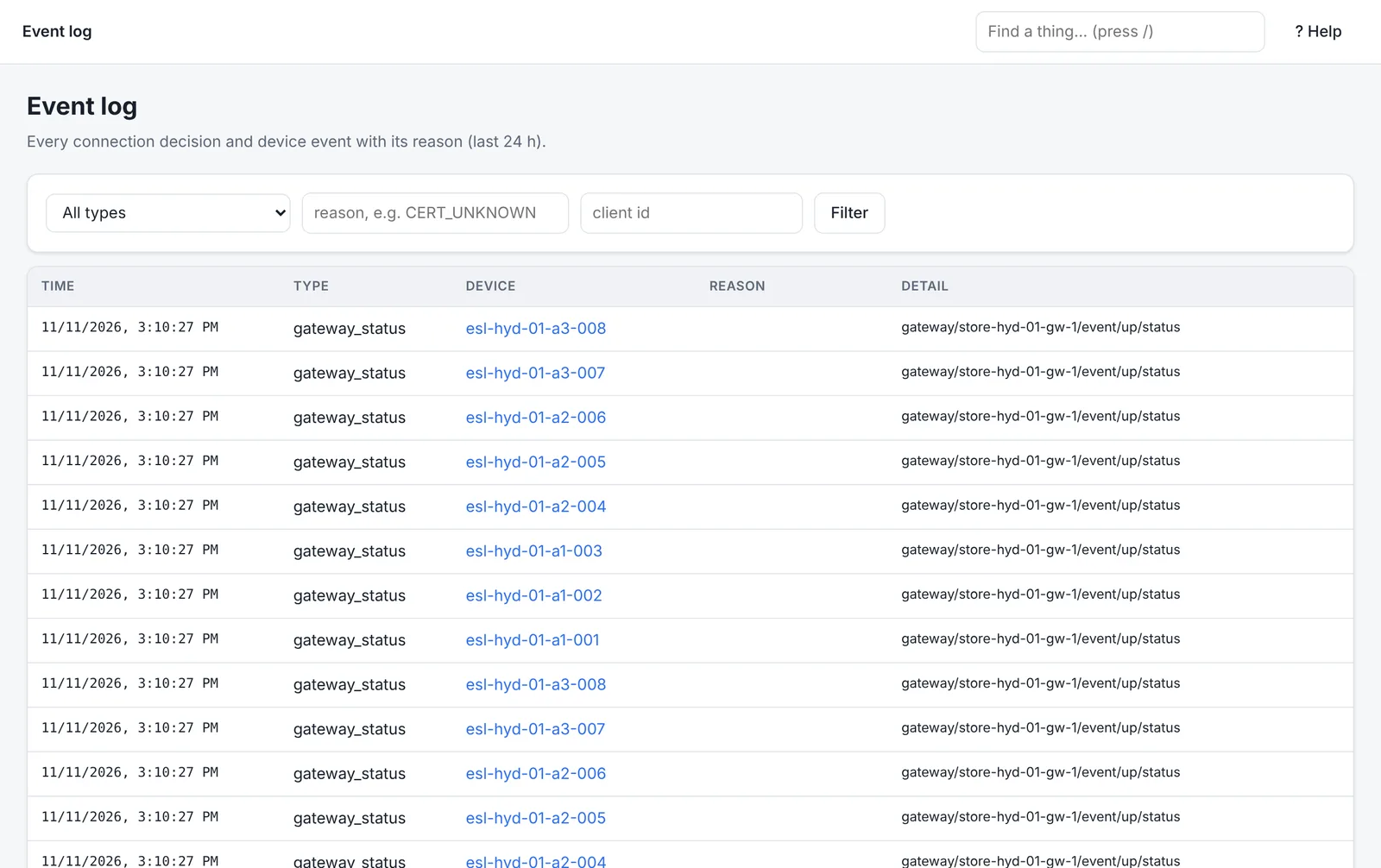
Every connection decision and device event, with its reason: connected, refused (CERT_EXPIRED), denied (the topic), disconnected (KEEPALIVE_TIMEOUT). Filter by type, reason or client ID.
Diagnose a device
Open any device and the Diagnose tab runs its checks: registered, credential active and not expiring, policy allows connect, publish and subscribe on its topics, connected, gateway online (for children), battery and signal (for labels). Each check says what to do if it fails, and the health score sums them up.
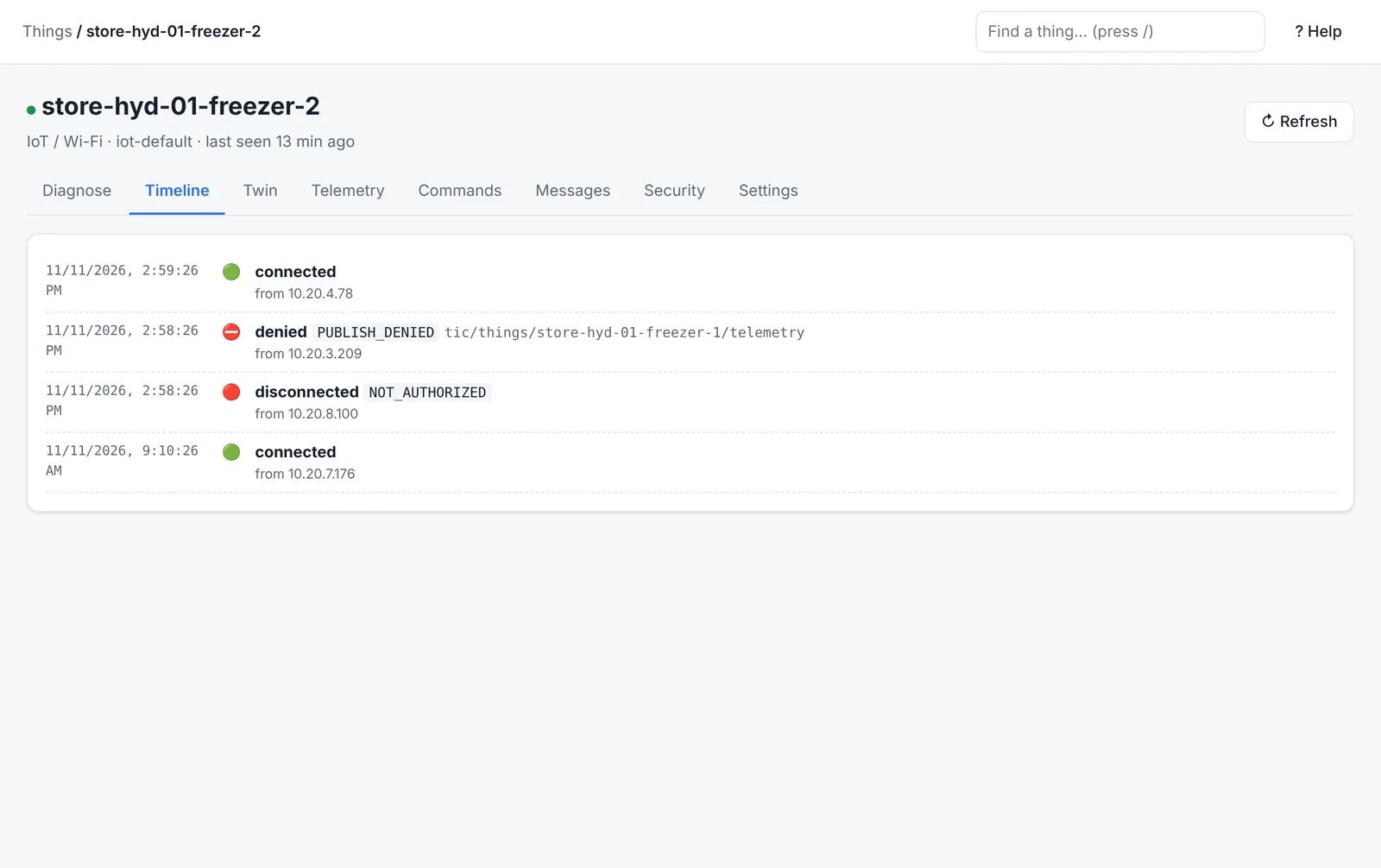
The Timeline tab puts connects, refusals, denied topics and messages in order, so a reconnect loop or a denied publish right before a disconnect is easy to see.
IT support page
For the team that keeps things running: a green, amber or red row for each part of the service your devices depend on (device connections, message processing, gateways, the LoRa network, rules, commands and certificates), each with what to do when it isn't green. Below it, a live issue list: issues open by themselves (a gateway offline, a spike of refusals with the same reason, a device reconnecting in a loop, a failing rule, stuck commands, certificates about to expire) and close by themselves when the problem clears. Acknowledge, add notes or resolve them; log issues customers report from the same page.
Customer lookup
For whoever takes the customer's call: search by device name, DevEUI or any attribute such as store or customer. For one device you get a health score, what is wrong in plain words with the fix, its connection history, recent events and commands, and a ticket summary to paste into your ticket.
Was this page helpful?
Can't find what you need? Contact support or read about ThingsX IoT Core.