Set up · How-to
BLE gateways, shelf labels and child devices
Connect a BLE gateway once, and track every shelf label or sensor behind it as its own device.
Updated 11 Nov 20262 min read
All ThingsX IoT Core pages
- What ThingsX IoT Core does
- Quick start: connect your first device
- Key concepts
- Security and access
- Connect Wi-Fi and IoT devices
- BLE gateways, shelf labels and child devices
- LoRaWAN sensors and gateways
- Industrial I/O modules
- Device twins and state
- Send commands to devices
- Rules: react to device messages
- SDK and REST API
- Monitor your fleet and support customers
- Moving from another IoT platform
- From AWS IoT Core
- From Azure IoT Hub and other platforms
- Device can't connect
- Devices keep disconnecting or reconnecting
- Data isn't arriving or a rule doesn't fire
- Frequently asked questions
- Topics and limits reference
A gateway connects with its own certificate. The labels and sensors it talks to over BLE have no credentials of their own: they are registered as child devices with the gateway as their parent, and IoT Core attributes the gateway's messages to the right child.
- 1Register the gatewayfamily BLE gateway, with a certificate
- 2Register each labelfamily ESL, parent = the gateway
- 3Gateway sends uplinksnaming the label in the message
- 4Each label gets its own databattery, signal, online, timeline
- 5Commands go to labelsthrough their gateway, with acknowledgement
1. Register the gateway
Get started → BLE gateway, name it (for example store-hyd-01-gw-1) and download its certificate. Install it on the gateway with the endpoint.
2. Register the labels
Get started → ESL, choose the gateway as the parent. For many labels, create them with the REST API or SDK in a loop (see SDK and REST API). Use attributes such as store and tin so support can find a label by what's printed on the shelf.
3. What the gateway sends
Uplinks go to gateway/<gateway>/event/up/<kind>. When the JSON names a known child in esl_id (or device, tin, device_id, child), the message is attributed to that child:
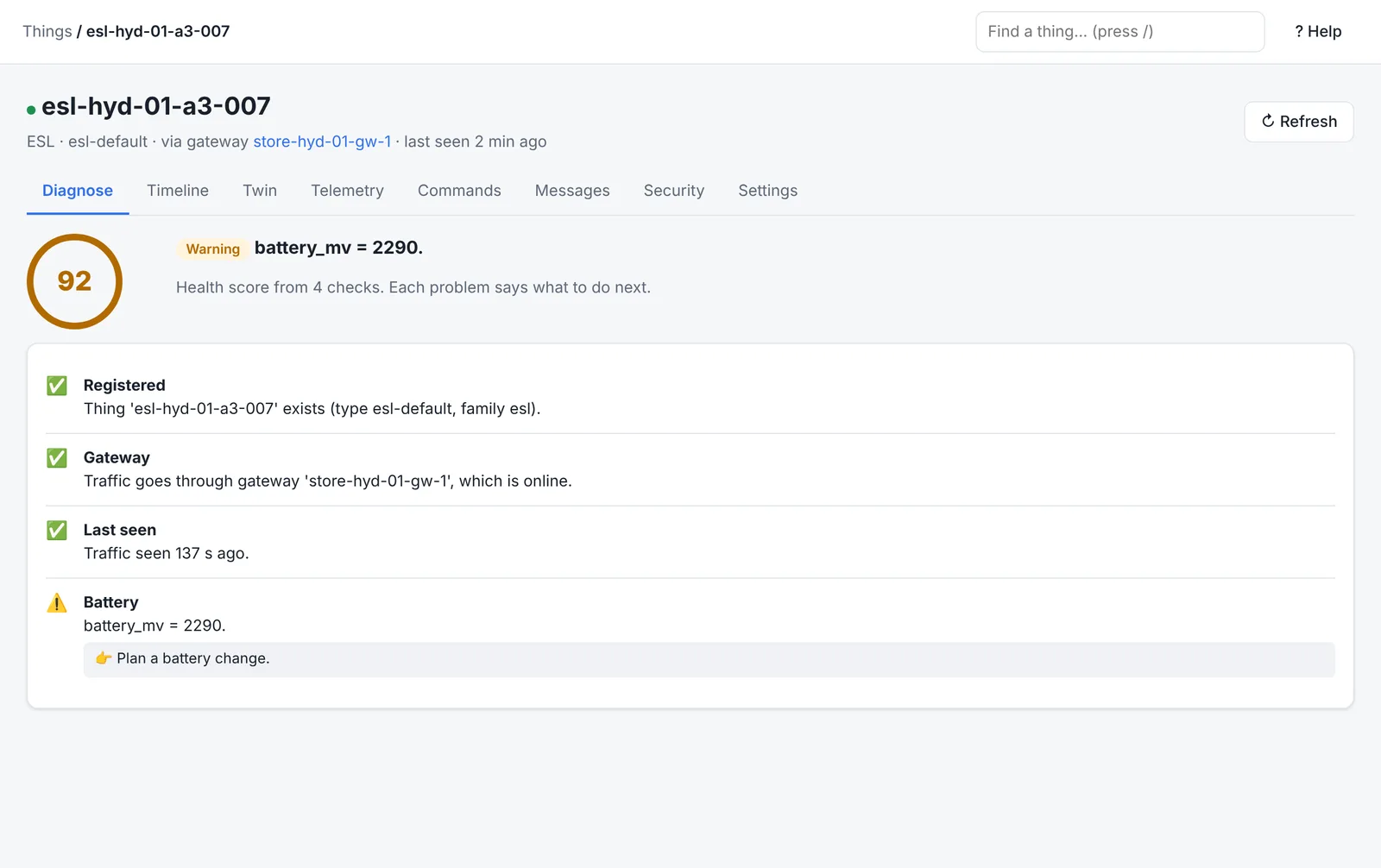
{ "esl_id": "esl-hyd-01-a3-007", "battery_mv": 2290, "rssi": -79, "temperature": 24.0 }Numeric fields become that label's telemetry, the event lands on its timeline and it shows online. Batches are supported with "children": [ … ].
4. Commands to a label
Send a command to the label as you would to any device. IoT Core delivers it to gateway/<gateway>/event/down/esl-command with a command_id. The gateway acknowledges by sending any uplink containing that command_id and status (ok or failed).
Troubleshooting labels
- Label offline but gateway online: the gateway hasn't reported the label in 15 minutes. Check it is in range and the label ID in the gateway's messages matches the thing name.
- All labels in an aisle offline: check the gateway's Diagnose tab first; a gateway that can't connect takes its children with it.
- Low battery warnings: the Diagnose tab flags low battery and weak signal; plan replacements from the Things list filtered by attribute.
Was this page helpful?
Can't find what you need? Contact support or read about ThingsX IoT Core.