Troubleshooting · Troubleshooting
Devices keep disconnecting or reconnecting
Keep-alive timeouts, two devices with one client ID, and the denied-publish loop.
Updated 11 Nov 20261 min read
All ThingsX IoT Core pages
- What ThingsX IoT Core does
- Quick start: connect your first device
- Key concepts
- Security and access
- Connect Wi-Fi and IoT devices
- BLE gateways, shelf labels and child devices
- LoRaWAN sensors and gateways
- Industrial I/O modules
- Device twins and state
- Send commands to devices
- Rules: react to device messages
- SDK and REST API
- Monitor your fleet and support customers
- Moving from another IoT platform
- From AWS IoT Core
- From Azure IoT Hub and other platforms
- Device can't connect
- Devices keep disconnecting or reconnecting
- Data isn't arriving or a rule doesn't fire
- Frequently asked questions
- Topics and limits reference
Disconnects carry a reason too. Open the device's Timeline to see what happened just before.
KEEPALIVE_TIMEOUT
The device stopped sending anything (including pings) for longer than its keep-alive allows. Usually weak Wi-Fi, a device that blocks while doing other work, or a keep-alive set very short.
Fix: set a keep-alive of 30 to 120 seconds, make sure the MQTT loop keeps running during long tasks, and check signal strength at the device.
SESSION_TAKEN_OVER
Another connection used the same client ID, so the first one was closed. Two devices flashed with the same name, or a device that opens a second connection before closing the first, will fight like this and loop.
Fix: give every device its own name and client ID. On the Timeline you'll see two different remote addresses taking turns.
NOT_AUTHORIZED right after a denied publish
With MQTT 3.1.1, a denied QoS 1 publish closes the connection (there is no way to say "denied" for that message). A device that keeps the message in flight and resends it after reconnecting will loop.
Fix: look for the denied topic on the Timeline just before the disconnect. Either correct the topic the device publishes to, or allow it in the policy (check with the simulator first).
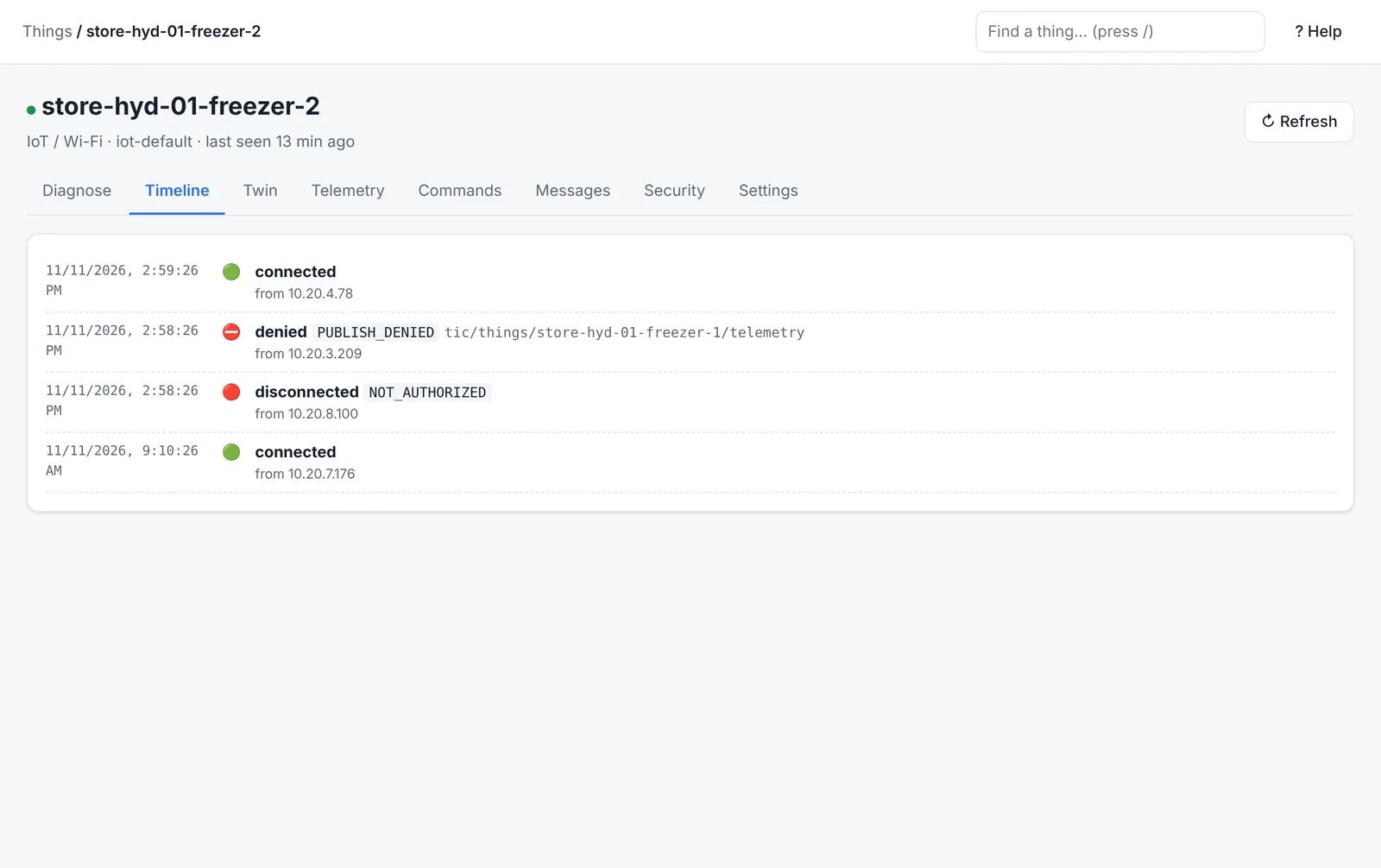
A device reconnects in a loop
The support page opens a reconnect loop issue when one client connects 10 or more times in 15 minutes. Check the reasons above in its Timeline; it closes by itself once the device is stable.
Was this page helpful?
Can't find what you need? Contact support or read about ThingsX IoT Core.