Use · How-to
Send commands to devices
Commands are stored, delivered, retried and acknowledged, so you always know whether a device did what you asked.
Updated 11 Nov 20261 min read
All ThingsX IoT Core pages
- What ThingsX IoT Core does
- Quick start: connect your first device
- Key concepts
- Security and access
- Connect Wi-Fi and IoT devices
- BLE gateways, shelf labels and child devices
- LoRaWAN sensors and gateways
- Industrial I/O modules
- Device twins and state
- Send commands to devices
- Rules: react to device messages
- SDK and REST API
- Monitor your fleet and support customers
- Moving from another IoT platform
- From AWS IoT Core
- From Azure IoT Hub and other platforms
- Device can't connect
- Devices keep disconnecting or reconnecting
- Data isn't arriving or a rule doesn't fire
- Frequently asked questions
- Topics and limits reference
A command is a message to one device that IoT Core keeps until it is delivered and acknowledged, unlike a fire-and-forget publish.
- 1Queuedstored as soon as you send it
- 2Sentdelivered when the device is connected
- 3Acked or failedthe device replies with a status
- 4Expirednot delivered within its lifetime (default 1 day)
Send one
From the device's Commands tab, or from your application:
curl -X POST https://<your-endpoint>/v1/things/esl-hyd-01-a1-001/commands \
  -H "Authorization: Bearer $TOKEN" -H "Content-Type: application/json" \
  -d '{"name": "show-page", "payload": {"page": 2}}'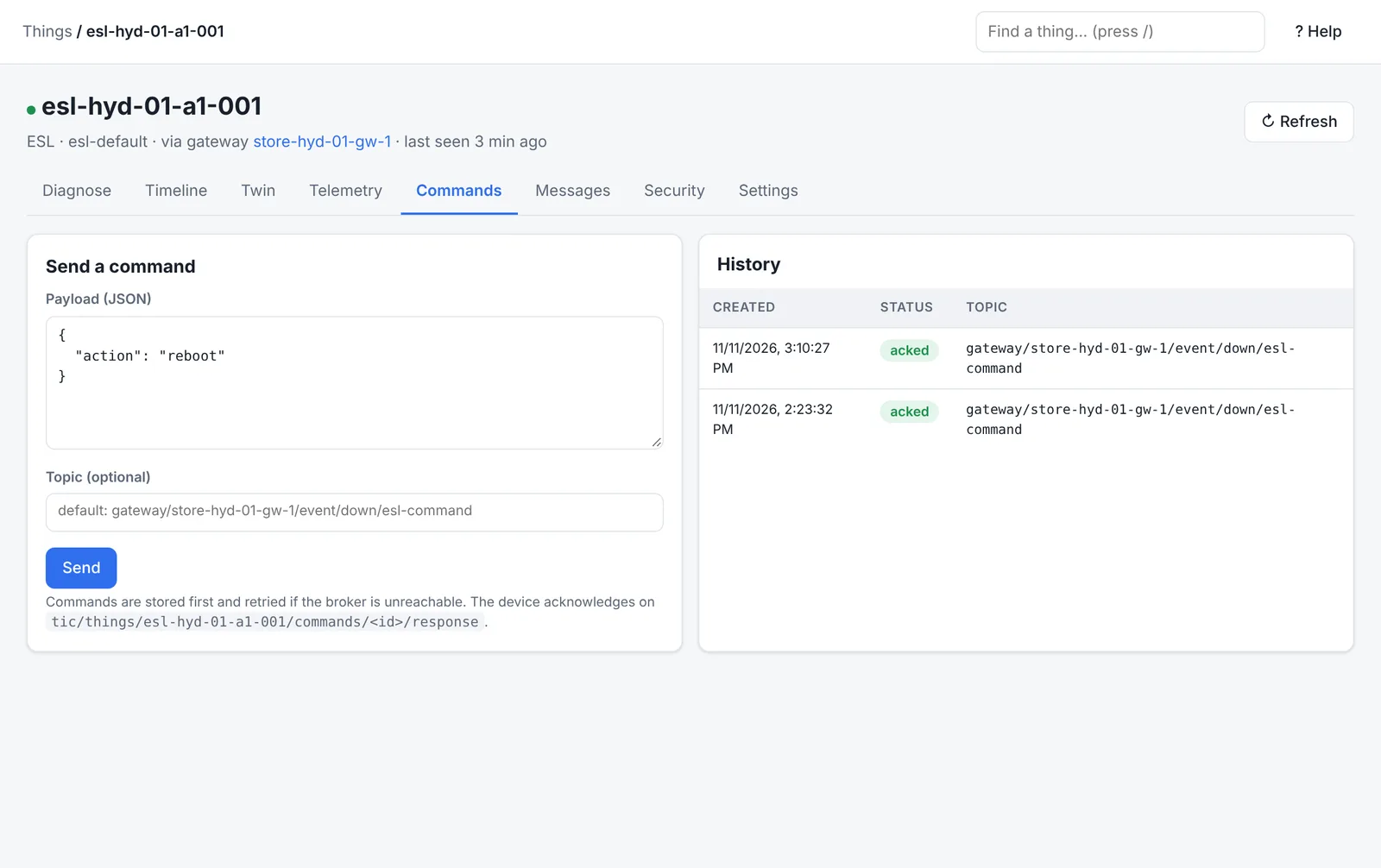
How devices receive and answer
| Device kind | Receives on | Answers with |
|---|---|---|
| Wi-Fi / IoT | tic/things/<name>/commands/<id> | {"status":"ok"} on …/commands/<id>/response |
| Child behind a gateway | The gateway's downlink topic, with command_id | Any gateway uplink with command_id and status |
| LoRaWAN | The next receive window, with fPort | The network's delivery confirmation |
Good practice
- Make commands safe to repeat (idempotent): a retry must not do the work twice.
- Include what the device needs to check before acting, for example a firmware version.
- Watch Commands waiting on the Overview: a growing number usually means devices are offline.
Was this page helpful?
Can't find what you need? Contact support or read about ThingsX IoT Core.