Use · How-to
Rules: react to device messages
Select messages with SQL, filter them, and send them on to topics, HTTP endpoints, queues, twins or other devices. Test before you save.
Updated 11 Nov 20262 min read
All ThingsX IoT Core pages
- What ThingsX IoT Core does
- Quick start: connect your first device
- Key concepts
- Security and access
- Connect Wi-Fi and IoT devices
- BLE gateways, shelf labels and child devices
- LoRaWAN sensors and gateways
- Industrial I/O modules
- Device twins and state
- Send commands to devices
- Rules: react to device messages
- SDK and REST API
- Monitor your fleet and support customers
- Moving from another IoT platform
- From AWS IoT Core
- From Azure IoT Hub and other platforms
- Device can't connect
- Devices keep disconnecting or reconnecting
- Data isn't arriving or a rule doesn't fire
- Frequently asked questions
- Topics and limits reference
A rule watches a topic, picks the fields you want, filters with WHERE, and runs one or more actions on every match.
SELECT temperature, topic(3) AS device
FROM 'tic/things/+/telemetry'
WHERE temperature > -15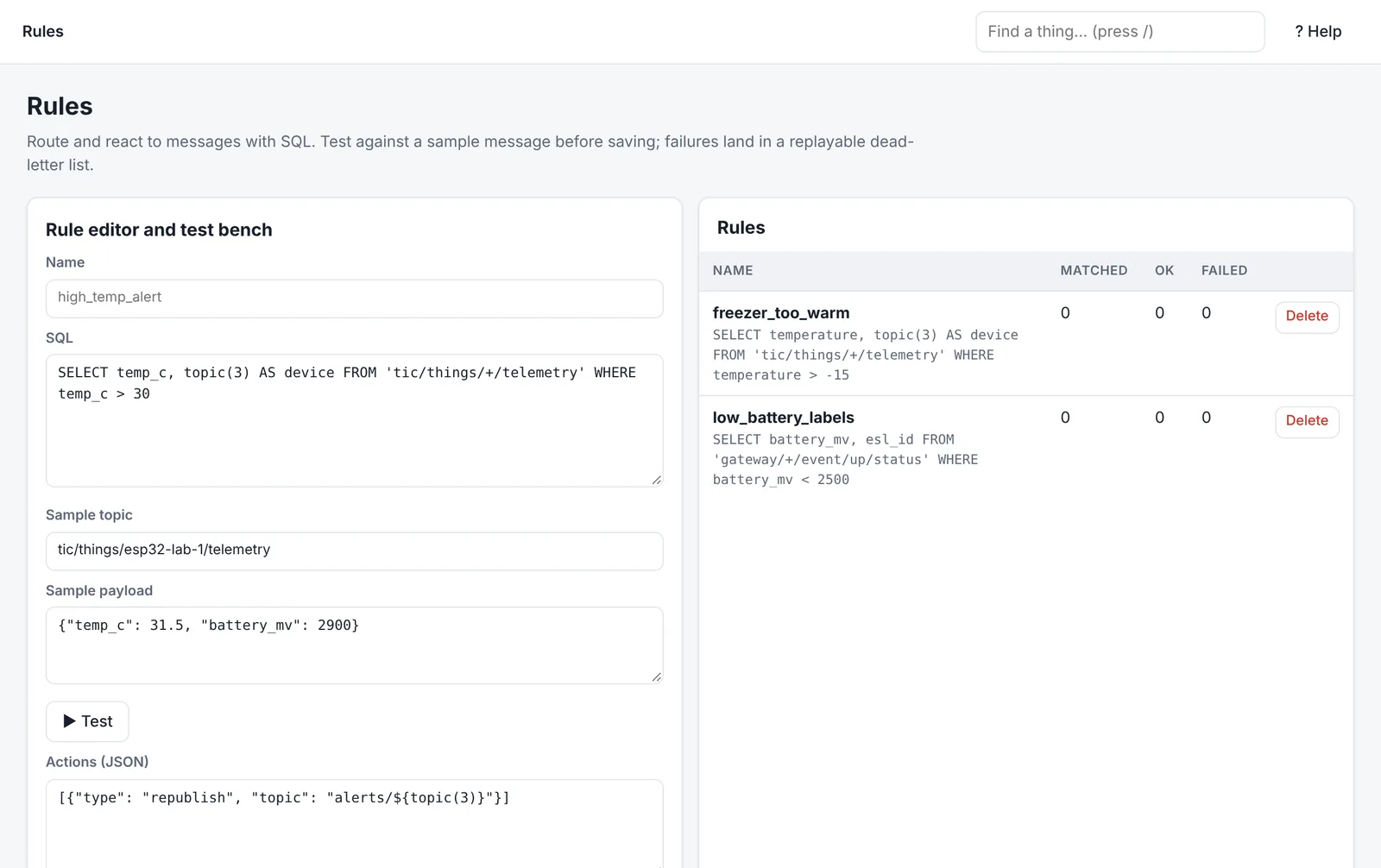
Functions you can use
| Function | Returns |
|---|---|
topic(n) | The nth part of the topic (topic(3) of tic/things/freezer-1/telemetry is freezer-1) |
topic() | The whole topic |
clientid() | The client ID that sent the message |
timestamp() | When the message arrived, in milliseconds |
+ matches one topic level and # matches the rest.
Actions
| Action | Use it to |
|---|---|
| Republish | Send the result to another topic, for example alerts/freezer |
| HTTP | Call your webhook or API with the result as JSON (with headers you choose) |
| Queue | Send to a message queue for your backend to process |
| Twin | Update a device's twin |
| Command | Send a command to a device |
If an action fails, the message goes to the rule's dead letters, where you can see the error and replay it once the cause is fixed.
Write and test a rule
- Open Rules. Give the rule a name (letters, digits and underscores).
- Write the SQL.
- Paste a sample topic and sample payload, then press Test. You see whether it matches and what each action would receive.
- Add the actions and Save rule.
Was this page helpful?
Can't find what you need? Contact support or read about ThingsX IoT Core.