Get started · Reference
Roles and who can do what
App roles, project duties, and the separation of duties that keeps reviews honest.
Updated 11 Nov 20261 min read
All Tracewright pages
- What Tracewright does
- Quick start: your first project
- Roles and who can do what
- How AI drafting works
- Review flows and electronic signatures
- Traceability and release readiness
- Add meetings, documents and emails
- Record meetings
- Review and approve records, day to day
- Checklists and review meetings
- Baselines and publishing
- Risk management
- Project memory, search and the assistant
- Administrators: first steps
- AI models and governance
- Jira and Polarion
- Microsoft 365, Teams and Outlook
- Alerts to Teams channels and webhooks
- Desktop app and browser extension
- Import from DOORS, Polarion, Jama and other tools
- Troubleshooting
- Frequently asked questions
- Modules
App roles
| Role | Typically |
|---|---|
| Administrator | Sets up sign-in, integrations, AI providers and settings |
| Project lead | Starts projects and runs them |
| Engineer | Authors and reviews records on the projects they belong to |
| Member | Takes part in projects they are added to |
People see only the projects they are members of. Custom roles can grant or remove individual permissions.
Project duties
Each project gives its members duties on the Team tab:
| Duty | Does |
|---|---|
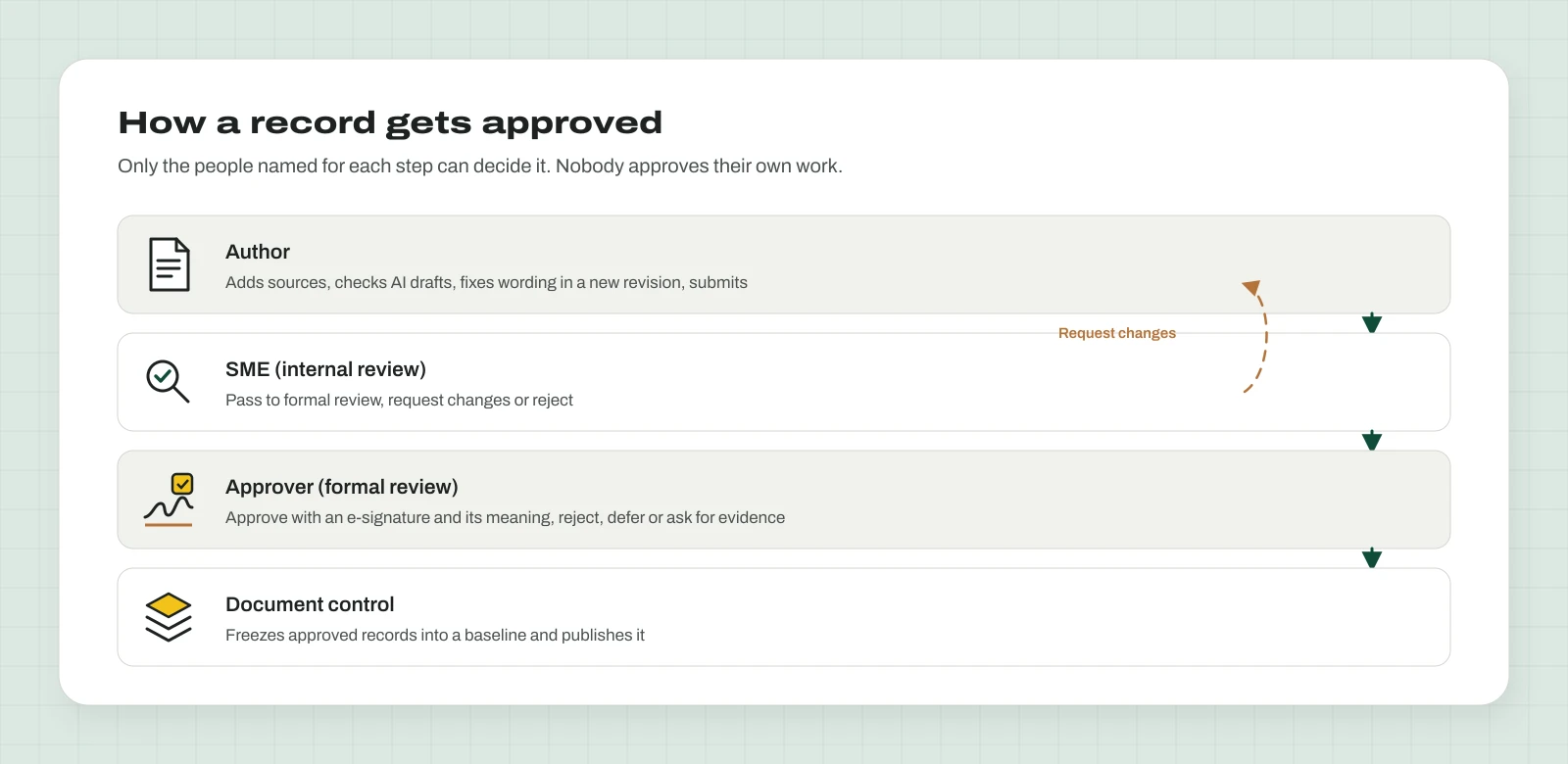
| Author | Adds sources, runs drafting, writes and revises drafts, submits for review |
| SME | Internal review: pass to formal review, request changes or reject; dispositions gaps and assumptions |
| Approver | Formal review: approve with a signature, reject, defer, request changes or evidence |
| Document control | Releases baselines, obsoletes records, manages retention and legal hold |
| Governance | Project settings, approval matrix, exceptions, integrations, access reviews |
| Lead | Runs the project; any duty except formal approver |
What nobody can do
By design, no one can: approve their own revision; give themselves the approver or governance duty; relax a control (such as named reviewers or the approval matrix) without a second lead or governance member confirming; give the formal signature after passing internal review on the same revision; sign twice; certify their own access; edit approved text; let an agent approve; or publish anything unapproved or stale.
Was this page helpful?
Can't find what you need? Contact support or read about Tracewright.